

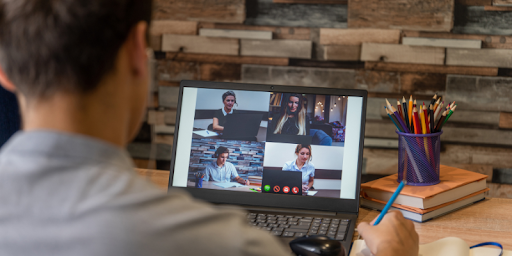
As digital transformation and remote work accelerate, the attack surface expands faster than most security teams can keep up. Home offices, personal devices, and public Wi‑Fi all introduce new vulnerabilities, and entry points that attackers are quick to exploit
Organizations that still rely on password‑only authentication are leaving the door open to account compromise and unauthorized access. Hackers can easily bypass single-factor authentication using phishing attacks, social engineering, or credential reuse.
To address these risks, enterprises need a multi‑layered access strategy that balances strong security with a smooth user experience.
Three Major Security Challenges in Remote Work
1. Diverse Devices and Networks
Remote employees now connect from laptops, tablets, and phones over home Wi‑Fi, mobile data, and public hotspots. . Each device and network introduces risks such as malware infections, unpatched systems, and unsecured Wi‑Fi access points.
2. Increased Risk of Account and Password Theft
Remote work depends on continuous access to corporate systems and cloud services. If users rely on simple or reused passwords, attackers can easily compromise them. As phishing and social engineering attacks grow more sophisticated, password‑only authentication is no longer enough to protect accounts.
3. Data Leakage and Compliance Risks
Remote access raises the risk of sensitive data exposure, especially for highly regulated sectors such as finance, healthcare, and technology. Without proper access control, organizations may face not only data leaks but also non-compliance with regulations such as GDPR or ISO 27001.
Key Security Solutions for Remote Work
To mitigate the risks of remote work, enterprises can adopt the following core measures:
1. Strengthen Authentication with Mylti-Factor Authentication(MFA)
Multi-Factor Authentication (MFA) combines multiple security elements—something you know (password), something you have (trusted device or hardware key), and something you are (biometrics). This dramatically raises the bar for attackers; even if a password is compromised, they still need an additional factor to log in.
Keypasco MFA Advantages
- Device-based authorization: Employees must log in using registered and trusted devices, preventing unauthorized device access.
- Dual-channel authentication: Login and verification occur on separate channels to defend against Man-in-the-Middle (MiTM) and phishing attacks.
- Location and time-based restrictions: Organizations can enforce login rules based on specific geolocations or time ranges.
With Keypasco MFA, enterprises can harden account security while keeping the login experience simple for remote employees.
2. Implement a Zero Trust Architecture
Zero Trust operates under a core principle: “Never trust, always verify.”
Every access attempt—whether from an internal employee, contractor, or external partner—must be authenticated, authorized, and evaluated for risk. This continuous verification reduces unauthorized access and insider threats.
Keypasco Zero Trust Features
- Dynamic access control: Access rights adjust based on user roles, device security posture, and behavioral patterns.
- Granular access management: Organizations can control access to specific applications or data, reducing the risk of sensitive information leaks.
- Comprehensive audit trails: All access activities are recorded, supporting monitoring and incident investigation.
Every access attempt—whether from an internal employee, contractor, or external partner—must be authenticated, authorized, and evaluated for risk.
Remote Work Security Best Practices
Beyond MFA and Zero Trust, organizations should layer on additional controls to build an end‑to‑end remote work security program:
1. Device and Network Security
- Mandatory updates and patching: Ensure laptops, tablets, and mobile devices are kept up-to-date.
- Endpoint protection: Deploy modern endpoint security (EDR/XDR) alongside antivirus and host firewalls to reduce malware and ransomware risk.
- Secure VPN or Zero Trust Network Access (ZTNA): Require encrypted, authenticated tunnels whenever employees connect from public or untrusted networks.
2. Data Access and Classification
- Principle of least privilege: Employees should only access data necessary for their roles.
- Data encryption: Encrypt sensitive data during transmission and storage.
- Cloud service security: Enforce MFA, granular access controls, and logging for cloud storage and SaaS applications.
3. Employee Security Awareness and Training
- Phishing simulations: Regularly test employees’ ability to detect suspicious emails and websites.
- Security training: Educate staff on safe device usage, VPN practices, and cloud tool security.
- Clear policies: Establish guidelines for remote work, covering data access, device use, and security requirements.
By combining Keypasco MFA, Zero Trust architecture, employee education, and clear governance policies, enterprises can build a multilayered defense that keeps remote work both secure and reliable.
Conclusion and Next Steps for Security Leaders
Remote work is now a permanent part of most enterprises, making data protection and account security critical priorities. Traditional passwords and perimeter-based defenses can no longer meet modern enterprise needs.
Adopting MFA and Zero Trust—backed by strong endpoint security, data governance, and ongoing employee training—is essential to securing access and minimizing the risk of cyberattacks and data breaches.
Enterprise Action Checklist
✔ Enable Multi-Factor Authentication (MFA) immediately
Use Keypasco MFA to protect accounts and sensitive systems—even if passwords are compromised.
✔ Implement a Zero Trust access strategy
Do not assume any user or device is trustworthy. Use Keypasco Zero Trust to dynamically control access.
✔ Establish a comprehensive remote work security policy
Include device management, network usage, data access controls, and employee training.
✔ Conduct regular audits and risk assessments
Monitor login behavior, device posture, and data access patterns to detect anomalies early and respond quickly.
By applying these strategies, enterprises can secure remote work environments, strengthen internal governance, and enhance user trust. In the age of digitalization and globalization, adopting Keypasco’s MFA and Zero Trust solutions is the best way to safeguard accounts and protect critical data.