
OUR AWARDS & PATENTS
With innovative multi-factor authentication (MFA) technologies and a Zero Trust framework, Keypasco has earned multiple international cybersecurity awards and holds patents in multiple countries, covering device fingerprinting, two-channel authentication, and risk assessment. Driven by R&D innovation, we deliver the most secure and forward-looking authentication solutions to customers worldwide.
Awards

2024 Cybersecurity Award

2022 SelectUSA Cybersecurity Winner

2018 Top 10 Managed Security Service Provider

2016 Red Herring Top 100 Europe Award

2016 CMA Contactless & Mobile Award

2014 APICTA Excellence Award in Finance
2024 資安精品獎

2022 SelectUSA 網路安全第一名
2018 年十大頂尖的資安託管服務商
2016 紅鯡魚全球科技創新大獎
2016 CMA 非接觸式與行動應用獎
2014 APICTA 金融類傑出表現獎
Our Patents
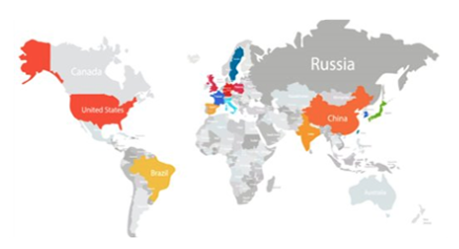
Keypasco holds 68 patents across 16 countries, including the U.S., Japan, Taiwan, South Korea, the EU, China, and Singapore. These patents cover core technologies such as device fingerprinting with two-channel authentication for stronger identity binding, proximity authentication for physical device security, central private key splitting to prevent misuse, and dynamic URL authentication paths for multi-tenant environments.
We also push forward passwordless adoption, enabling secure, trusted access without usernames or passwords.
Device Fingerprints & Two-Channel Authentication
Patent: Method for Verifying Identity via User Location
Patent Publication No. I531202

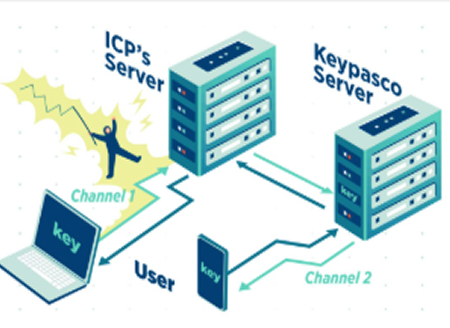
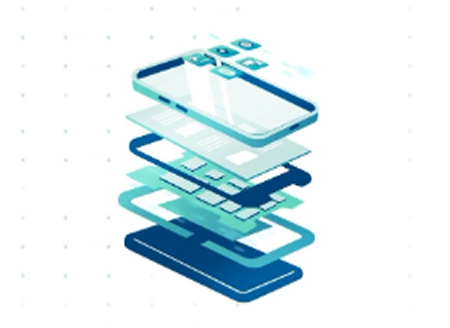
When logging in or performing sensitive transactions, Keypasco’s patented device fingerprinting identifies unique hardware/software traits to bind devices securely. Combined with two-channel authentication—linking a user’s registered devices such as phone and computer—this mechanism blocks unauthorized devices, phishing, and credential theft, providing an invisible yet robust defense.
Two-channel Structure
Device Fingerprints
Proximity Authentication
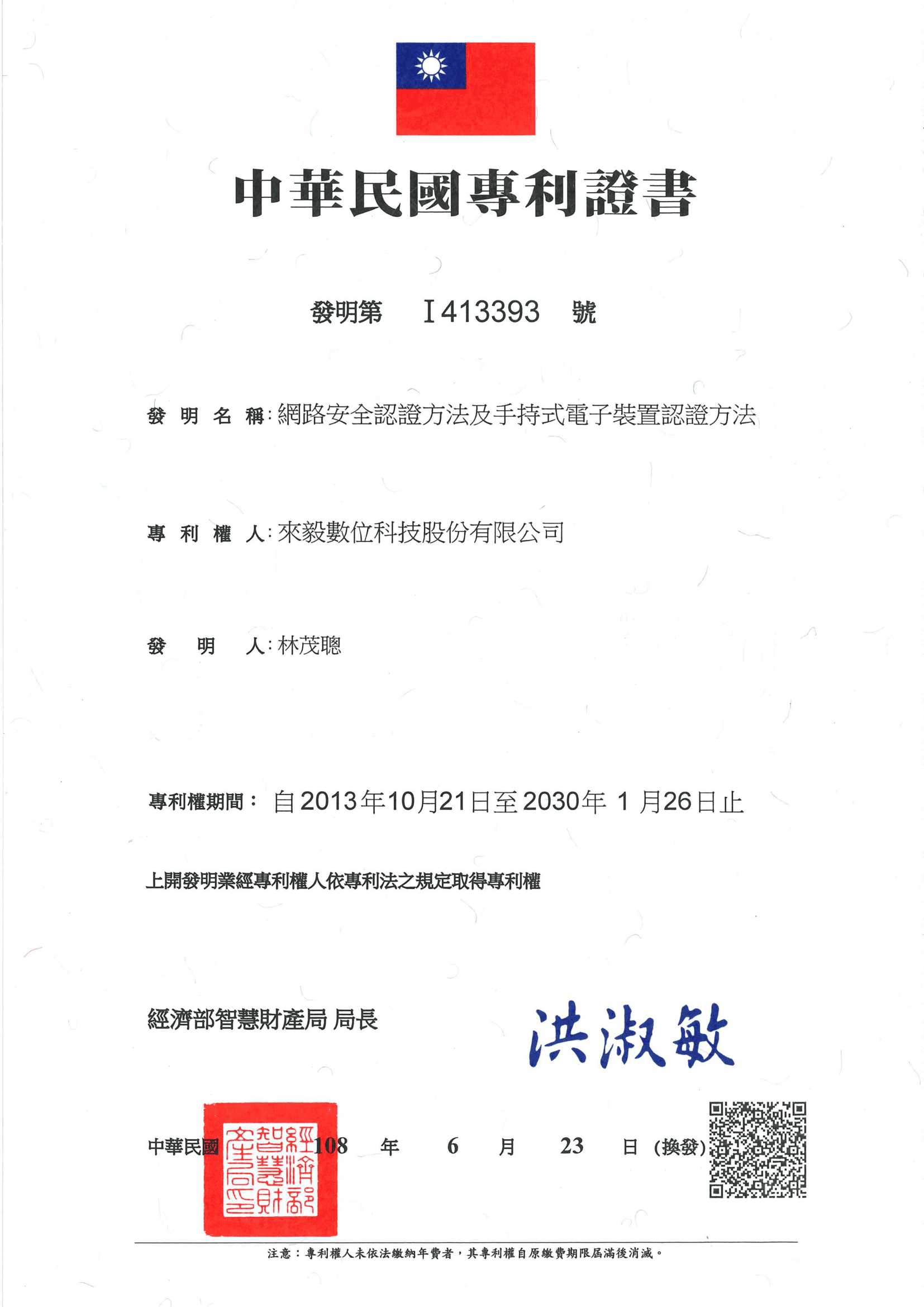
Patent: Network Security Authentication Method and Portable Electronic Device Authentication Method

Proximity authentication uses physical distance as a security factor. The user’s registered device (e.g., phone, wearable) must be near the login device, verified via Bluetooth, NFC, or ultrasound. This ensures both devices belong to the same user, blocking remote hijacking attempts—ideal for high-security MFA scenarios.
Centralized PKI with Private Key Splitting


This approach splits a private key into two halves—one stored securely on a central server, the other encrypted and stored in the user’s device app. Both must match during authentication, reducing key theft risks even if the device is lost or compromised.

Dynamic URL Authentication


Dynamic URL is a flexible and highly scalable authentication architecture that allows the same client or application to automatically route multiple ICPs (service providers) to multiple IDPs (identity providers) based on different service requirements. This design enables enterprises to easily integrate various authentication sources without having to develop a separate login process for each service, thereby improving deployment efficiency and operational flexibility. At the same time, the dynamic URL mechanism also facilitates multi-tenant, multi-brand, or cross-regional authentication needs, delivering a consistent and scalable secure login experience for enterprises.

Key Management System


Encrypted private keys are bound to a device’s unique fingerprint, preventing decryption or use on unauthorized devices. This stops key duplication, tampering, or misuse, ensuring the key’s authenticity and exclusivity.

Passwordless Login Environment
Patent: Method and System for Logging into an Online System Without Account Name and Password

In application environments where no specific account or password is required for login, authentication evolves toward true passwordless access. Users no longer need to remember complex account-password combinations; instead, they are securely authenticated and logged in through trusted devices, biometric verification, or certificate-based authentication. This approach not only greatly simplifies the login process and enhances user experience but also reduces cybersecurity risks caused by password leaks, reuse, or phishing attacks—making it a critical step toward achieving both security and convenience.

LATEST NEWS
Master cybersecurity trends to build a foundation of competitiveness
Software Security Reminder and Announcement of Company English Name Change
※ Recently, we discovered on the VirusTotal website that malicious software has fraudulently used code-signing certificates containing our company’s name. We kindly remind all users not to download any software that is not officially provided by our company, in order to avoid potential security risks. In addition, due to the change of our company’s English name, our code-signing certificates will be updated as follows: Certificate Replacement Schedule: Expected to be completed on January 1, 2026 New Certificate Subject Name: Lydsec Keypasco Digital Technology Co., Ltd. Certificate Usage: For code signing of our company’s software and applications Scope of Impact: This update only affects code-signing verification and will not impact software functions or data We sincerely appreciate the long-term support from all our users. In line with our global branding strategy and future development, our company’s English name has been officially changed to “LYDSEC KEYPASCO DIGITAL TECHNOLOGY COMPANY LIMITED.” Moving forward, we will further enhance the service quality and performance of Keypasco products and continue to make our unique core MFA technology the first line of defense for enterprise cybersecurity.
Remote Work, Wide Open Doors: The Real Playbook for Securing a Remote Workforce
As digital transformation and remote work accelerate, the attack surface expands faster than most security teams can keep up. Home offices, personal devices, and public Wi‑Fi all introduce new vulnerabilities, and entry points that attackers are quick to exploit Organizations that still rely on password‑only authentication are leaving the door open to account compromise and unauthorized access. Hackers can easily bypass single-factor authentication using phishing attacks, social engineering, or credential reuse. To address these risks, enterprises need a multi‑layered access strategy that balances strong security with a smooth user experience. Three Major Security Challenges in Remote Work 1. Diverse Devices and Networks Remote employees now connect from laptops, tablets, and phones over home Wi‑Fi, mobile data, and public hotspots. . Each device and network introduces risks such as malware infections, unpatched systems, and unsecured Wi‑Fi access points. 2. Increased Risk of Account and Password Theft Remote work depends on continuous access to corporate systems and cloud services. If users rely on simple or reused passwords, attackers can easily compromise them. As phishing and social engineering attacks grow more sophisticated, password‑only authentication is no longer enough to protect accounts. 3. Data Leakage and Compliance Risks Remote access raises the risk of sensitive data exposure, especially for highly regulated sectors such as finance, healthcare, and technology. Without proper access control, organizations may face not only data leaks but also non-compliance with regulations such as GDPR or ISO 27001. Key Security Solutions for Remote Work To mitigate the risks of remote work, enterprises can adopt the following core measures: 1. Strengthen Authentication with Mylti-Factor Authentication(MFA) Multi-Factor Authentication (MFA) combines multiple security elements—something you know (password), something you have (trusted device or hardware key), and something you are (biometrics). This dramatically raises the bar for attackers; even if a password is compromised, they still need an additional factor to log in. Keypasco MFA Advantages Device-based authorization: Employees must log in using registered and trusted devices, preventing unauthorized device access. Dual-channel authentication: Login and verification occur on separate channels to defend against Man-in-the-Middle (MiTM) and phishing attacks. Location and time-based restrictions: Organizations can enforce login rules based on specific geolocations or time ranges. With Keypasco MFA, enterprises can harden account security while keeping the login experience simple for remote employees. 2. Implement a Zero Trust Architecture Zero Trust operates under a core principle: “Never trust, always verify.” Every access attempt—whether from an internal employee, contractor, or external partner—must be authenticated, authorized, and evaluated for risk. This continuous verification reduces unauthorized access and insider threats. Keypasco Zero Trust Features Dynamic access control: Access rights adjust based on user roles, device security posture, and behavioral patterns. Granular access management: Organizations can control access to specific applications or data, reducing the risk of sensitive information leaks. Comprehensive audit trails: All access activities are recorded, supporting monitoring and incident investigation. Every access attempt—whether from an internal employee, contractor, or external partner—must be authenticated, authorized, and evaluated for risk. Remote Work Security Best Practices Beyond MFA and Zero Trust, organizations should layer on additional controls to build an end‑to‑end remote work security program: 1. Device and Network Security Mandatory updates and patching: Ensure laptops, tablets, and mobile devices are kept up-to-date. Endpoint protection: Deploy modern endpoint security (EDR/XDR) alongside antivirus and host firewalls to reduce malware and ransomware risk. Secure VPN or Zero Trust Network Access (ZTNA): Require encrypted, authenticated tunnels whenever employees connect from public or untrusted networks. 2. Data Access and Classification Principle of least privilege: Employees should only access data necessary for their roles. Data encryption: Encrypt sensitive data during transmission and storage. Cloud service security: Enforce MFA, granular access controls, and logging for cloud storage and SaaS applications. 3. Employee Security Awareness and Training Phishing simulations: Regularly test employees’ ability to detect suspicious emails and websites. Security training: Educate staff on safe device usage, VPN practices, and cloud tool security. Clear policies: Establish guidelines for remote work, covering data access, device use, and security requirements. By combining Keypasco MFA, Zero Trust architecture, employee education, and clear governance policies, enterprises can build a multilayered defense that keeps remote work both secure and reliable. Conclusion and Next Steps for Security Leaders Remote work is now a permanent part of most enterprises, making data protection and account security critical priorities. Traditional passwords and perimeter-based defenses can no longer meet modern enterprise needs. Adopting MFA and Zero Trust—backed by strong endpoint security, data governance, and ongoing employee training—is essential to securing access and minimizing the risk of cyberattacks and data breaches. Enterprise Action Checklist ✔ Enable Multi-Factor Authentication (MFA) immediately Use Keypasco MFA to protect accounts and sensitive systems—even if passwords are compromised. ✔ Implement a Zero Trust access strategy Do not assume any user or device is trustworthy. Use Keypasco Zero Trust to dynamically control access. ✔ Establish a comprehensive remote work security policy Include device management, network usage, data access controls, and employee training. ✔ Conduct regular audits and risk assessments Monitor login behavior, device posture, and data access patterns to detect anomalies early and respond quickly. By applying these strategies, enterprises can secure remote work environments, strengthen internal governance, and enhance user trust. In the age of digitalization and globalization, adopting Keypasco’s MFA and Zero Trust solutions is the best way to safeguard accounts and protect critical data.
Fortify Your Enterprise: Top 10 Common Methods + Practical Zero Trust & MFA Defense
Hacker attacks are evolving quickly, shifting from isolated breaches to complex intrusions across systems and identities. Implementing Zero Trust Architecture (ZTA) and Multi-Factor Authentication (MFA) is now essential for robust cybersecurity.” From the perspective of a cybersecurity service provider, this article summarizes the ten most common attack techniques, along with actionable defense recommendations, and explains the concrete roles and best practices of Zero Trust and MFA in different attack scenarios. 1. Phishing / Email Phishing Overview: Attackers impersonate trusted sources (colleagues, banks, vendors) to send emails or text messages containing malicious links or attachments that steal credentials or install malware. (Image Source) Defense Recommendations: Conduct regular phishing simulations and cybersecurity awareness training to help employees recognize suspicious emails. Deploy advanced anti-spam and sandbox scanning at the email gateway. Enforce email authentication mechanisms such as DMARC, SPF, and DKIM. Role of Zero Trust / MFA: Even if credentials are compromised, enabling MFA (especially hardware keys or authenticator apps) can prevent account takeover. Zero Trust evaluates login context such as geolocation and device posture to automatically apply stricter authentication or block abnormal attempts. 2. Credential Stuffing & Password Reuse Overview: Attackers leverage leaked username and password pairs from previous breaches to log in to other services. Defense Recommendations: Require unique, complex passwords and encourage password manager use. Implement login rate limits and IP blocking for abnormal login attempts. Role of Zero Trust / MFA: MFA is a highly effective defense against credential stuffing. Zero Trust enforces step-up authentication based on device trust and session risk, blocking password-only breaches. 3. Spear Phishing / Business Email Compromise (BEC) Overview: Targeted social engineering aimed at executives or finance personnel (e.g., impersonating a CEO to request wire transfers). Defense Recommendations: Enforce strict verification for high-risk operations such as dual authorization, and phone confirmation. Provide targeted training and simulated attack exercises for executives. Role of Zero Trust / MFA: Enforce MFA (such as hardware keys, FIDO2) for privileged accounts. When unusual logins or sensitive operations occur, Zero Trust triggers re-authentication or session suspension. 4. Ransomware Overview: Hackers infiltrate networks, move laterally, and encrypt critical data to demand ransom. Defense Recommendations: Implement layered backups (offline + snapshots) and test restoration regularly. Implement network segmentation and enforce the principle of least privilege. Role of Zero Trust / MFA: Zero Trust restricts lateral movement and access scope. When combined with device posture checks (blocking unpatched or unhealthy endpoints), it minimizes spread. MFA prevents attackers from escalating privileges with stolen credentials. 5. Man-in-the-Middle (MITM) & Session Hijacking Overview: Intercepting or falsifying communication data between parties to steal information or inject malicious content. Defense Recommendations: Enforce sitewide TLS and manage certificates using modern, secure protocols. Apply mutual TLS (mTLS) and API gateway control for internal systems. Role of Zero Trust / MFA: Zero Trust promotes network micro-segmentation and mutual authentication. Abnormal network activity or certificate issues trigger re-validation or connection denial. 6. Exploiting Weak Passwords or Unpatched Systems Overview: Attackers exploit known vulnerabilities or default passwords in internal systems or IoT devices. Defense Recommendations: Automate vulnerability scanning and asset inventory. Disable default accounts and enforce strong password policies combined with MFA. Role of Zero Trust / MFA: Zero Trust continuously evaluates device posture, flagging unpatched or non-compliant devices as untrusted and denying access. MFA adds an extra layer of protection to administrative interfaces. 7. Supply Chain Attacks Overview: Attackers compromise third-party software or services to infiltrate the enterprise, such as injecting malware into vendor updates. Defense Recommendations: Conduct third-party risk assessments and require security SLAs in contracts. Enforce least privilege for third-party access and continuously monitor APIs and integrations. Role of Zero Trust / MFA: Zero Trust separates identity from access, dynamically authorizing third-party sessions. If a partner account is compromised, MFA and risk-based access controls mitigate potential damage. 8. Insider Threats Overview: Malicious or careless insiders misuse privileges to cause data leaks or system damage. Defense Recommendations: Enforce least privilege, conduct regular access reviews, and implement UEBA monitoring. Establish clear procedures for offboarding and role changes. Role of Zero Trust / MFA: Zero Trust’s “never trust, always verify” principle facilitates continuous authorization and session monitoring. MFA enforces re-authentication for sensitive actions, reducing insider misuse risks. 9. API Abuse & Broken Object Level Authorization Overview: Public or poorly protected APIs become entry points for data leaks or privilege escalation. Defense Recommendations: Implement strict authentication and authorization using OAuth, API Gateway, and rate limiting. Perform regular API scans and penetration tests. Role of Zero Trust / MFA: Zero Trust enforces dynamic authorization for each API call and integrates MFA for high-risk activities 10. Social Engineering & Phone Scams Overview: Manipulating employees into disclosing information or performing unsafe actions (e.g., impersonating IT staff). Defense Recommendations: Establish verification protocols and dual-approval processes for sharing sensitive information. Conduct regular social engineering training and simulations. Role of Zero Trust / MFA: Zero Trust minimizes reliance on verbal approvals for critical operations by requiring multi-layer verification and maintaining audit trails. MFA mandates additional proof for sensitive actions. Implementing Zero Trust & MFA in Practice Asset and Identity Inventory: Conduct a comprehensive asset and identity inventory covering all users, devices, applications, and data flows. Risk Segmentation: Segment risks by classifying assets according to sensitivity (e.g., HR and Finance require stricter controls) and applying micro-segmentation. Enforced MFA (Layered Policy): Enforce layered MFA policies: mandatory MFA for privileged and external logins, and adaptive MFA for general users based on behavioral risk. Device Posture Checks: Perform device posture checks to ensure only compliant devices (patched, encrypted, and protected) access sensitive resources. Monitoring & Behavioral Analytics: Integrate SIEM and UEBA solutions to detect anomalies and automatically trigger re-authentication or session suspension. Education & Process Integration: Translate security policies into actionable procedures, such as dual-approval for payments and standard operating procedures for third-party access. Why Choose Lydsec Keypasco? Secure and User-Friendly MFA & Zero Trust Solutions Implementing Zero Trust and MFA is key to preventing account compromise and data breaches. Lydsec Keypasco
Strengthen Your Identity Authentication Now
Elevate Enterprise Security Like Never Before
Keypasco is delighted to share more about our exclusive technologies and products with you! Tell us your needs and goals, and let Keypasco deliver the most suitable solution—becoming your dedicated identity authentication technology advisor.
如果您想問技術相關問題 請點我